Tick-accurate feed
REST plus WebSocket from Binance spot. Mini-ticker for the whole universe, trades and depth for the pair under the cursor. Prices quantized to the exchange filter. The last print is the last print.
 APEX
Download
Windows desk · live Binance · model alerts
Earn money while you're lying down. You'll be notified when you buy or sell.
APEX — the desk that stays awake
APEX is a compact native Windows terminal for cryptocurrency. It is linked live to the exchange, scored by analytical intelligence on every watched coin, and quiet until a buy, a sell, or a drop is real. You copy one program folder. You double-click the APEX shortcut next to it. The tape keeps working while you do not.
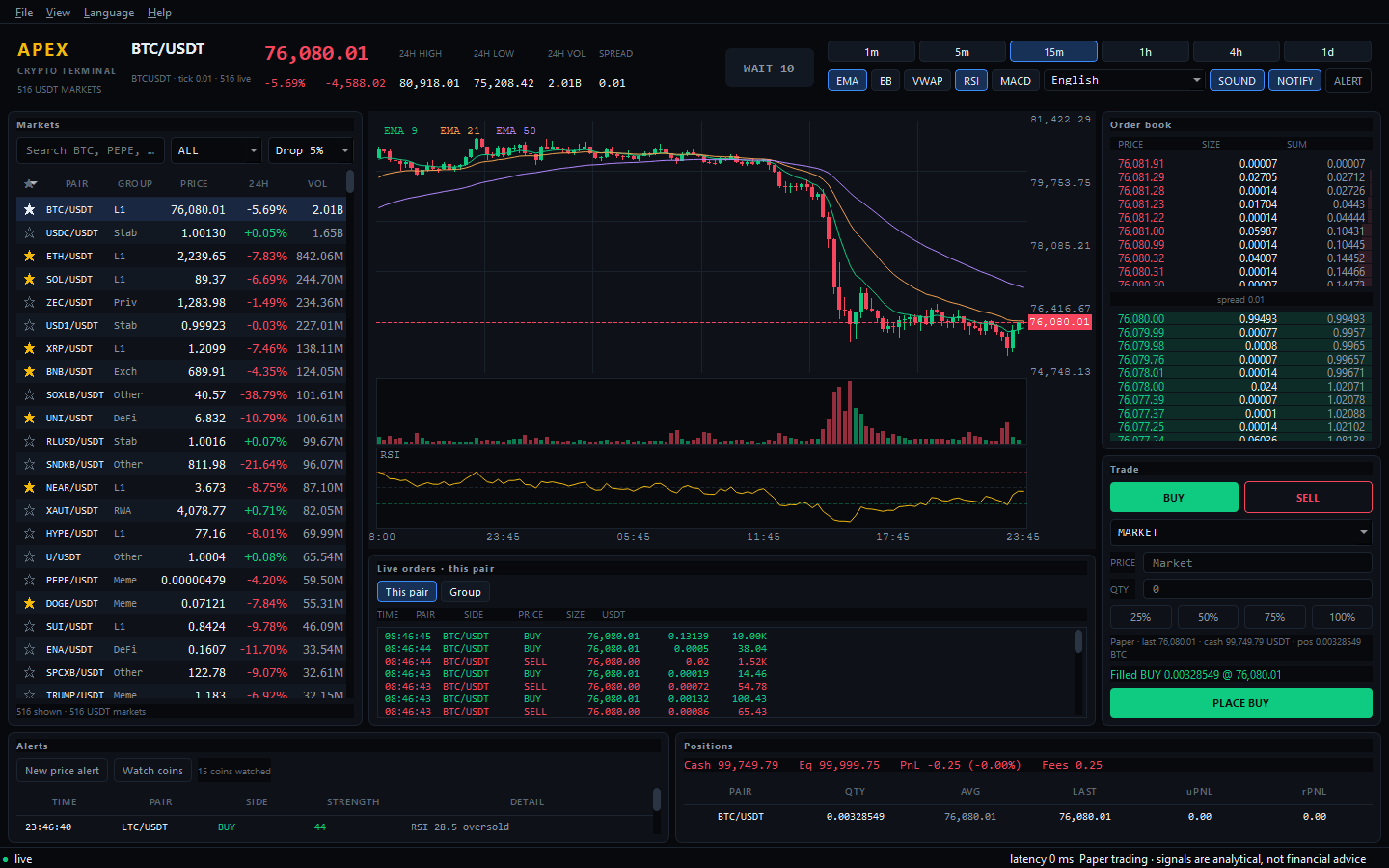
There is a kind of attention the market does not deserve: the whole night, the locked neck, the screen that never blinks. APEX was written against that. It is a native Windows desk — dark, compact, professional — that holds the entire open market in one place and speaks only when speaking is earned.
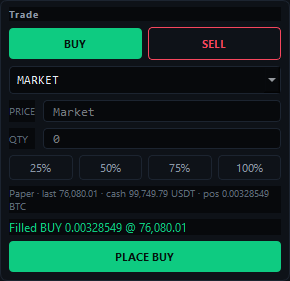
Prices arrive as they are printed on Binance spot. Every tradable USDT pair, minus leveraged tokens, lives in a grouped blotter: majors, Layer 1 and 2, DeFi, meme, AI, gaming, DePIN, RWA, privacy, exchange, stables. Candles, depth, and a live buy/sell tape sit beside a paper ticket. You rehearse execution with tick-quantized prices, lot sizes, and a 0.10% fee. Cash stays USDT. The work is precise because the feed is precise.
Accuracy here is a chain, not a claim. The terminal is linked to the platforms that actually move the tape, and to an analytical intelligence that reads that tape without fatigue — RSI, MACD, EMA crosses, Bollinger bands, volume — scored on closed candles and on a scan of the coins you watch. When the reading becomes a buy, a sell, a drop, or a whale print, the desk finds you: sound, desktop toast, tray. You can be lying down. You will still be told.
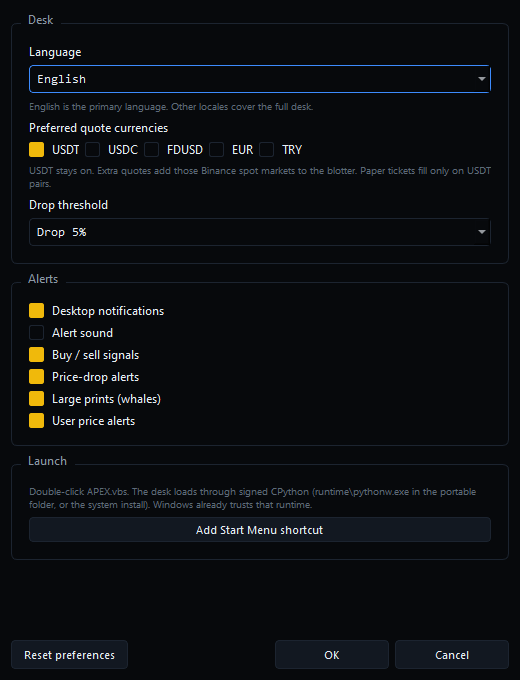
English is the first language of the room. Forty-three other locales cover every menu, panel, and alert; Arabic, Hebrew, Persian, and Urdu reverse the layout. Language, quote currencies, sound, notifications, and drop threshold persist in a local store. A reset restores those defaults and leaves your paper book, watch list, and price alerts untouched. The desk remembers how you like to sit. It does not pretend to be a broker, a fund, or a promise. It is a watcher with excellent eyes.
These frames are the running desk — live markets, live models, paper fills. Click any image to open it.
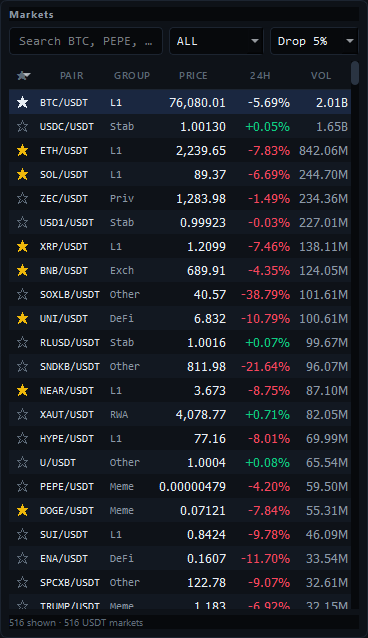
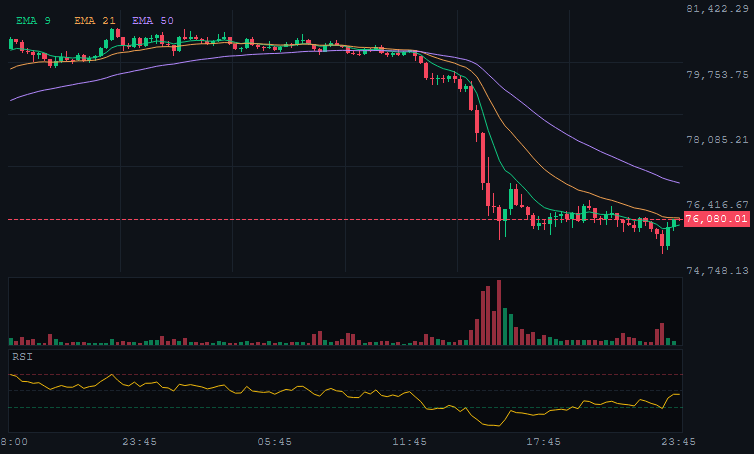
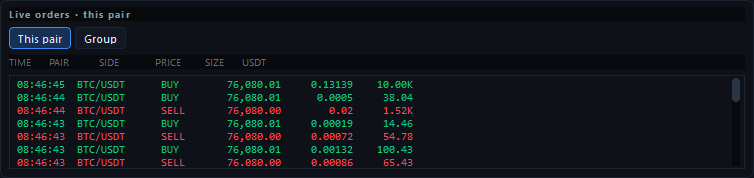
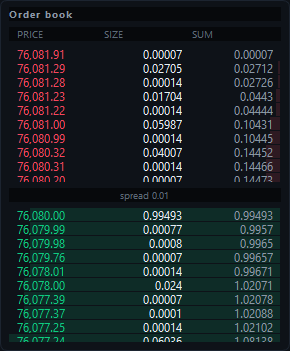


REST plus WebSocket from Binance spot. Mini-ticker for the whole universe, trades and depth for the pair under the cursor. Prices quantized to the exchange filter. The last print is the last print.
The desk is not a delayed widget. It is joined to the venues that print USDT markets, with public data APIs and streams, so the blotter, the tape, and the models share one clock.
A live signal engine scores each watched coin from −100 to +100. RSI extremes, MACD and EMA crosses, Bollinger touches, volume expansion. BUY at +40, SELL at −40, WAIT in the quiet middle.
Watch-gated buy/sell, flash dumps, 24h drops, whales, and user price levels. Distinct WAV tones. Desktop toasts you can silence from the header. Cooldowns keep the room from shouting twice.
Candles 1m–1d, order book, spread, paper market and limit tickets, 25/50/75/100% sizing, positions, realized and unrealized PnL. Sector groups and a scanner on the names you actually care about.
SQLite WAL, Decimal money, tick-quantized crosses, flash sanity checks, watch gating. Forty-four languages. Preferences that persist. A reset that knows what not to touch.
Alerts are analytical. They are not financial advice. The desk is paper-only. The invitation to rest is an invitation to be notified — not a promise of profit.
Not every machine has Python installed. APEX travels as one program folder with a shortcut sitting next to it. You double-click APEX.lnk. There is no APEX.exe, no .bat, no .com.
Get APEX-Portable.zip from this site. Unzip it. Inside: the APEX-Desk folder and the APEX shortcut beside it. Keep those two together.
Take APEX-Desk and the APEX shortcut onto the PC — USB, another disk, another user. Keep the folder name. Keep the shortcut next to the folder.
Windows opens the bundled runtime with -B -m apex in a normal window. No console. No installer. The pair still launches after you copy it.
Inside the desk: Settings → Launch → Add Start Menu shortcut. That shortcut uses the same APEX icon.
An unsigned APEX.exe needs a paid code-signing certificate, or Windows SmartScreen treats it as unknown software. APEX loads as a program folder inside a runtime Microsoft already trusts.
| Path | What runs | SmartScreen |
|---|---|---|
| APEX.lnk next to APEX-Desk | bundled pythonw -B -m apex | Clear |
| Start Menu shortcut | pythonw -m apex | Clear |
| Unsigned .exe wrap | Unknown binary | Warned |
| .bat / .cmd / .com | Not used | — |
A future Microsoft Store or EV-signed MSIX build can wrap the same package when a publisher certificate exists. Until then the signed interpreter, carried as files, is the reliable install.
Windows 10 / 11 · 64-bit · portable
One zip. One folder. One shortcut with the APEX mark. Unzip, keep the pair together, double-click APEX.